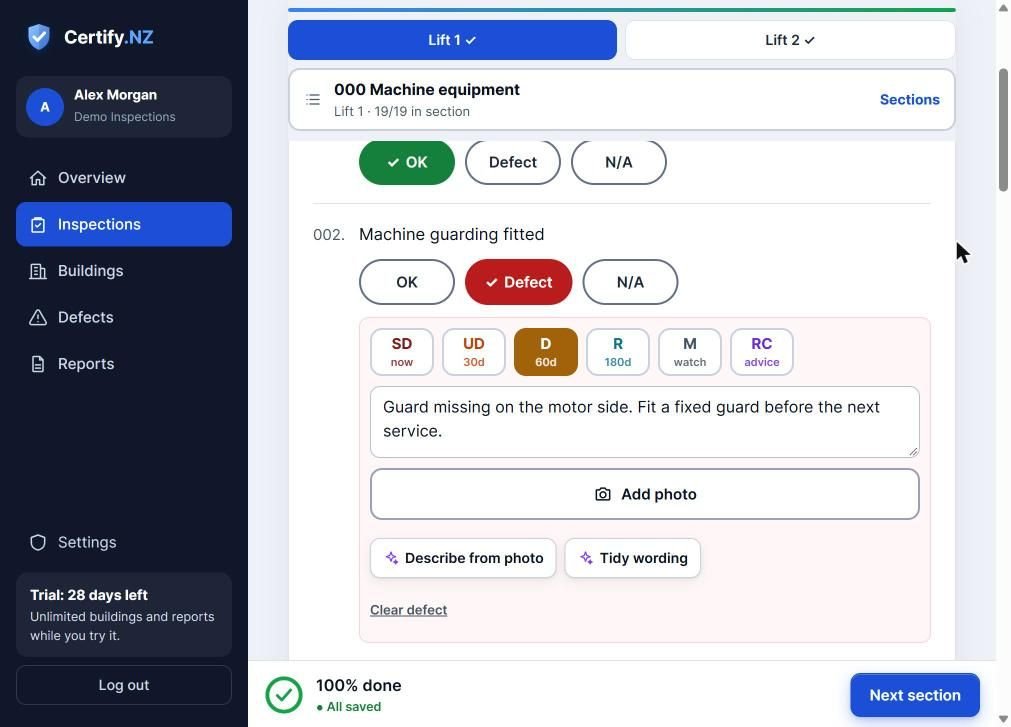
Tap Defect on any check, choose a code, describe what is wrong and add a photo. The code sets the due date. Serious defects (SD) mean the Form 12A is withheld until they are fixed.
Record a defect
- On the check, tap Defect.
- Choose a code. Each code shows its timeframe: SD now, UD 30 days, D 60 days, R 180 days, M watch, RC advice.
- Describe what is wrong. This is the defect description printed on the report.
- Tap Add photo. You can draw on a photo to circle the problem before you save it.
- Optional: Describe from photo drafts the description, and Tidy wording cleans up your note.
Track defects
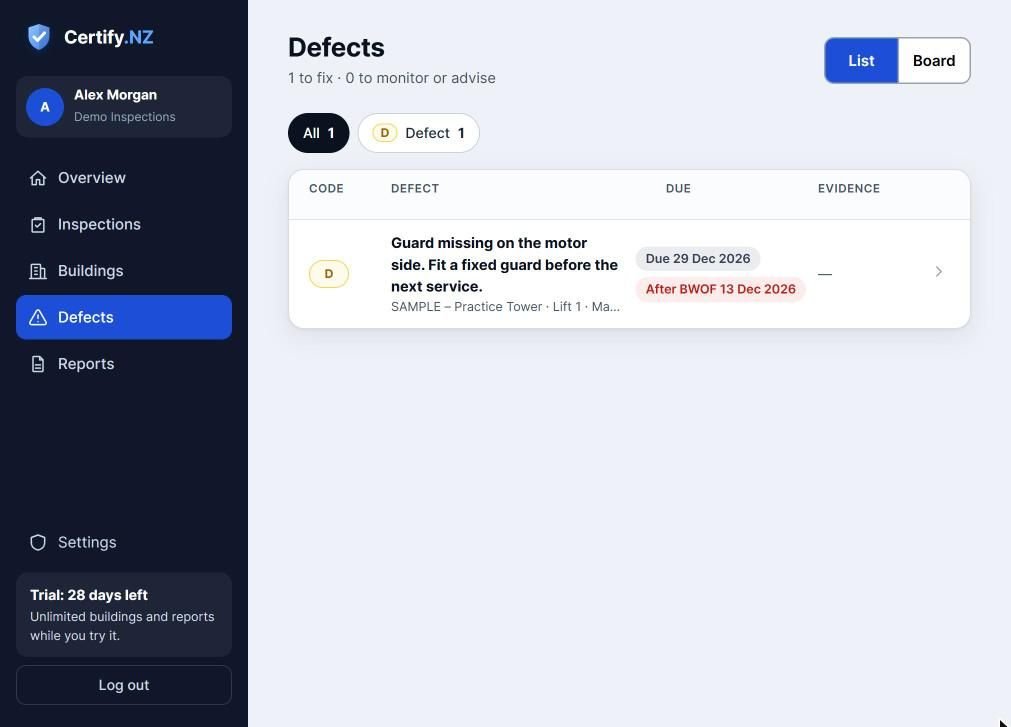
The Defects page lists every open defect across all your buildings, with its due date and any evidence of repair. Switch between List and Board, and filter by code.
Questions
What happens to the Form 12A if there is a serious defect?
The report is still issued, but the certification status shows the Form 12A as withheld. The report tells the owner what to fix next.